CodingUsage
Coding Usage
Monitor your Cursor/Trae/Antigravity AI usage, supporting multi-IDE and multi-account monitoring.

Current usage rules:
- Cursor: Base $20 API usage + Official bonus ($25 currently) + Auto usage ($150 currently)
- Trae: Monitor API quota usage provided by the official platform
- Antigravity: Monitor quotas and reset times for Claude 4.5, Gemini 3 Pro/Flash, and other models
| **English Version | 中文版** |
| Cursor | Trae | Antigravity |
|---|---|---|
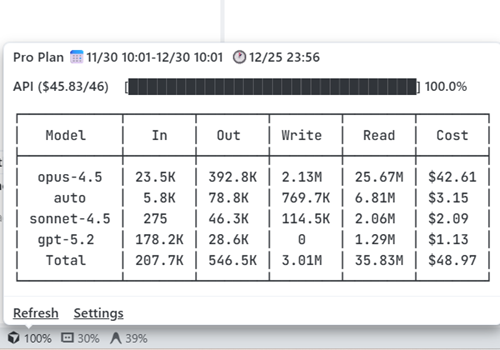 |
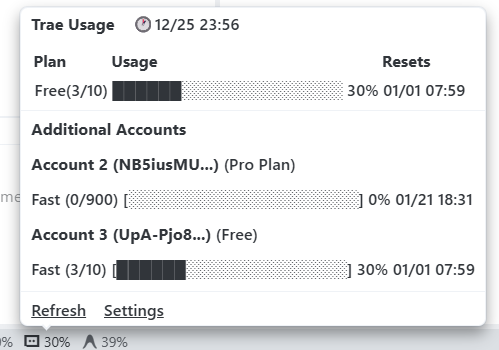 |
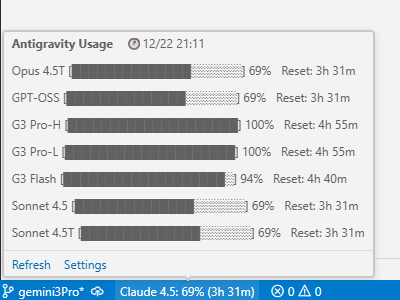 |
Scenario 1: Single IDE, Single Account
Using only one of Cursor, Trae, or Antigravity, monitoring only the currently logged-in account
Just install from the extension store, no configuration needed!
- Cursor Extension Store - CodingUsage
- Trae Extension Store - CodingUsage
- Antigravity Extension Store - CodingUsage
After installation, the status bar will display usage for your currently logged-in account.
Scenario 2: Multiple IDEs
Using Cursor, Trae, Antigravity, or multiple IDEs simultaneously, and want to view all usage in any single IDE
Configuration Steps:
- Install CodingUsage extension in each IDE
- Double-click the status bar and select Show All Providers
- Restart the IDE
Once configured, you can view usage statistics from all configured IDEs in any single IDE.
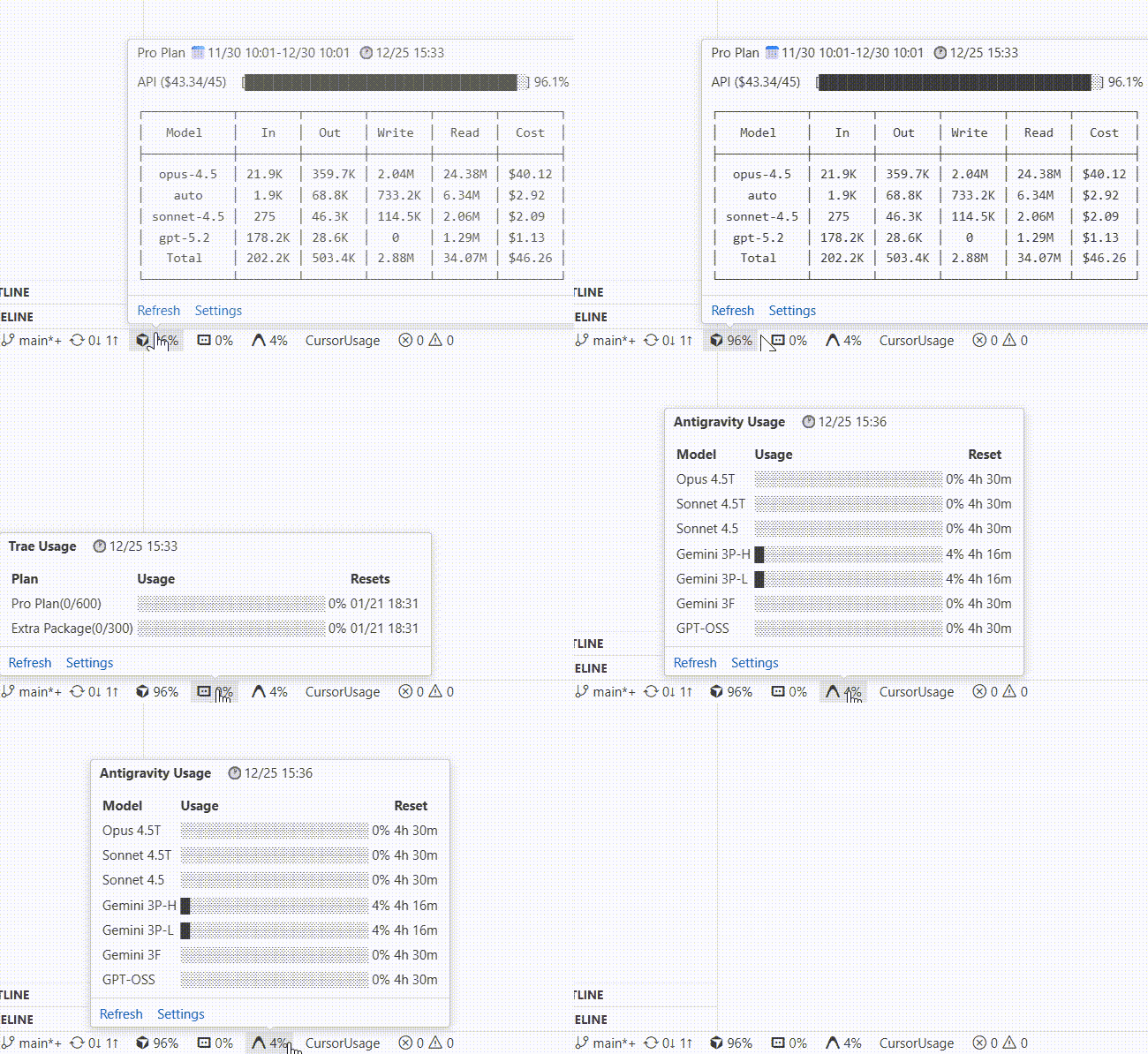
ShowAll Feature: View all IDE usage in one place
Scenario 3: Monitor Other Accounts
Need to monitor accounts other than the currently logged-in IDE account
Configuration Steps:
- Double-click the status bar and install the browser extension
- Log into the target account’s official website in the browser
- Click the browser extension, and the Token will be automatically retrieved and pasted into the IDE
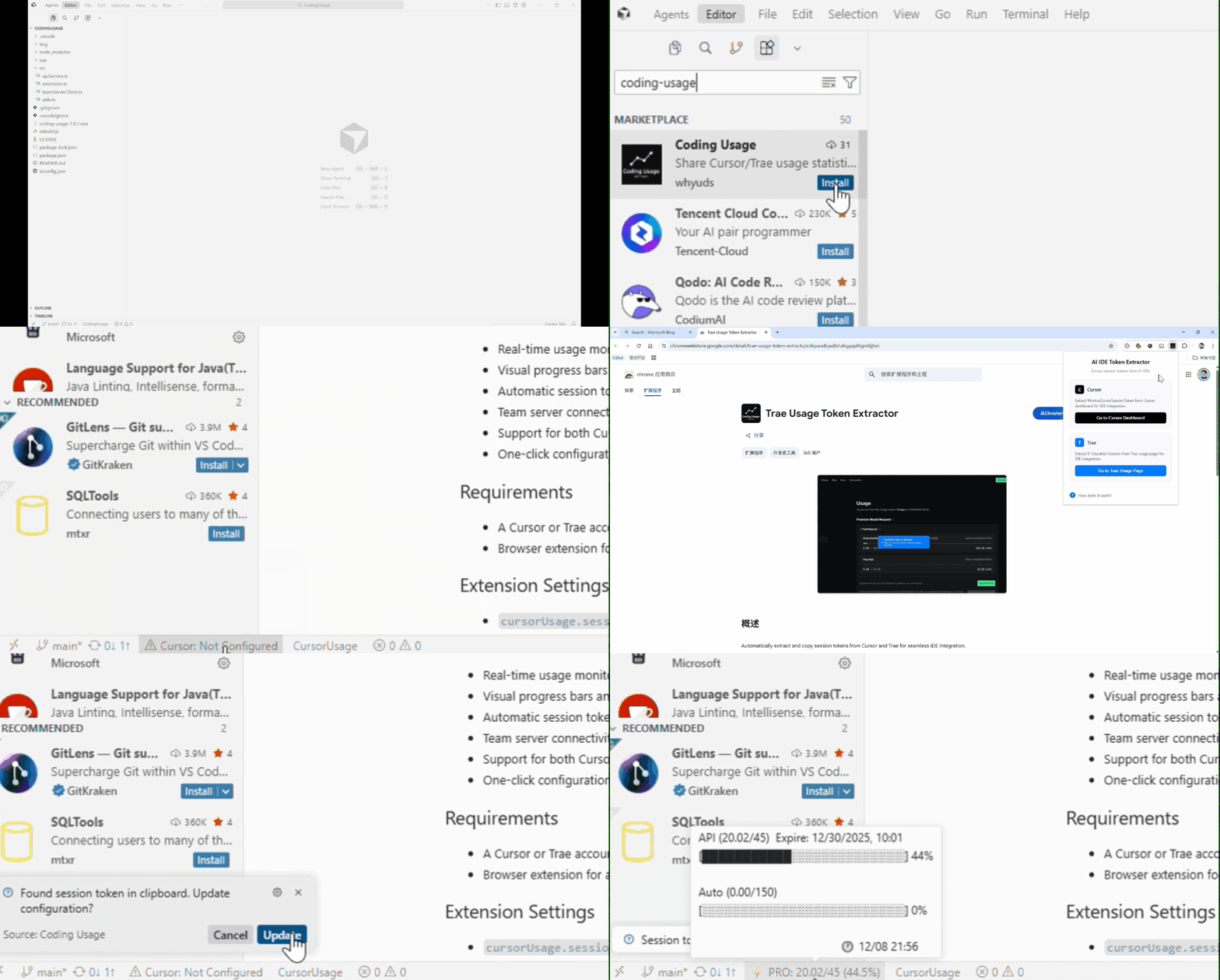
Quickly configure other accounts via browser extension
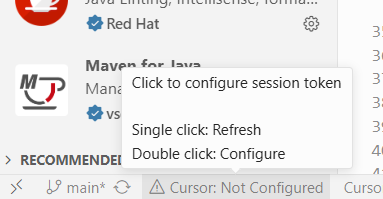
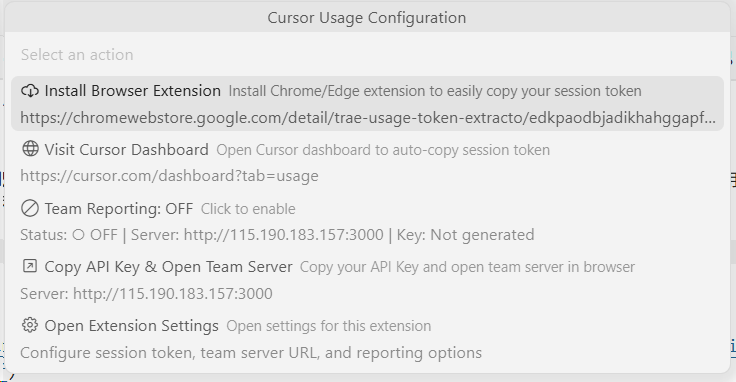
Double-click Status Bar | QuickPick Menu
Features
- Multi-Platform Support: One extension supports Cursor, Trae, and Antigravity monitoring with automatic display switching
- Zero-Configuration Monitoring: No configuration needed for monitoring the currently logged-in account in any IDE, just install and use
- Real-time Updates: Monitor local conversations or processes every 10 seconds/minute, only requesting official API when changes are detected
- Usage Display: Detailed tooltips with usage breakdown, progress bars, and billing cycle information
FAQ
Why does Cursor Pro subscription show a total of $45?
Currently, the Pro total usage consists of: Fixed $20 API billing + $25 Bonus, Auto billing: $150
How often is data updated?
The extension checks local database changes every 10 seconds and only calls the official API when changes are detected, ensuring real-time updates while avoiding frequent requests.
Are my tokens safe?
Tokens are only stored locally. The extension does not send your tokens to any server except the official API.
What is Team Server?
Team Server is an optional advanced feature for shared usage tracking and historical data analytics in team collaboration scenarios. If needed, you can deploy your own server following the TeamServer Protocol.
Support
For questions or suggestions, please submit an Issue or Pull Request.